Case ticklers
A Case Tickler is a reminder system built into eProsecutor Online to give reminders of important dates.
A tickler is set from the Case Header and allows users to configure the number of days in the future or an expiration date.
On the expiration date, an alert is generated in the system with the reminder text.
Create a tickler
-
Open a case.
-
Click the
Ticklericon in theCase Header.
The Tickler icon color updates to give quick information about tickler status:
Icon Description 
Gray: No active or expired ticklers exist on the current case.
Green: There is an active tickler on the current case.
Red: There is an expired tickler on the current case. Once the generated alert is dismissed, or deleted, the color reverts to gray. -
Clicking the
Ticklericon opens a window showing all the current case ticklers. From this screen, a user can also edit or delete existing ticklers.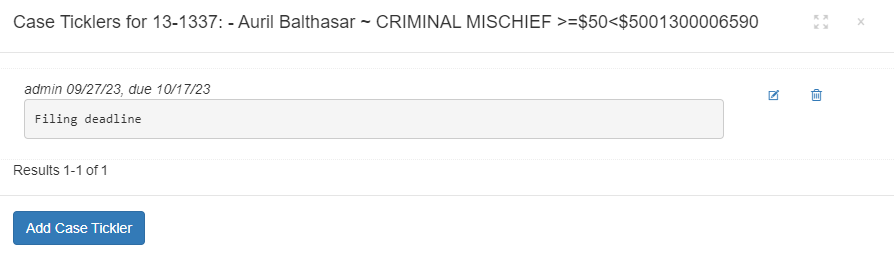
-
Click Add Case Tickler. This opens a dialog to add a new tickler:
-
Optional: set the number of days out. This populates the
Expire Datefield. -
Set the
Expire Datefield. This is the date an alert is generated using theReason. -
Set the
Reasonfield. This is the message to show with the alert.
-
-
Click Submit.
Show existing ticklers
Use one of the following approaches to show an existing tickler:
-
Open a case and click the
Ticklericon. -
Use the Case ticklers gadget on the Dashboard.