Statutes
To show the Statutes screen, navigate to :
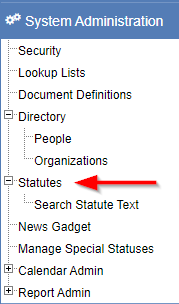
Search for a statute
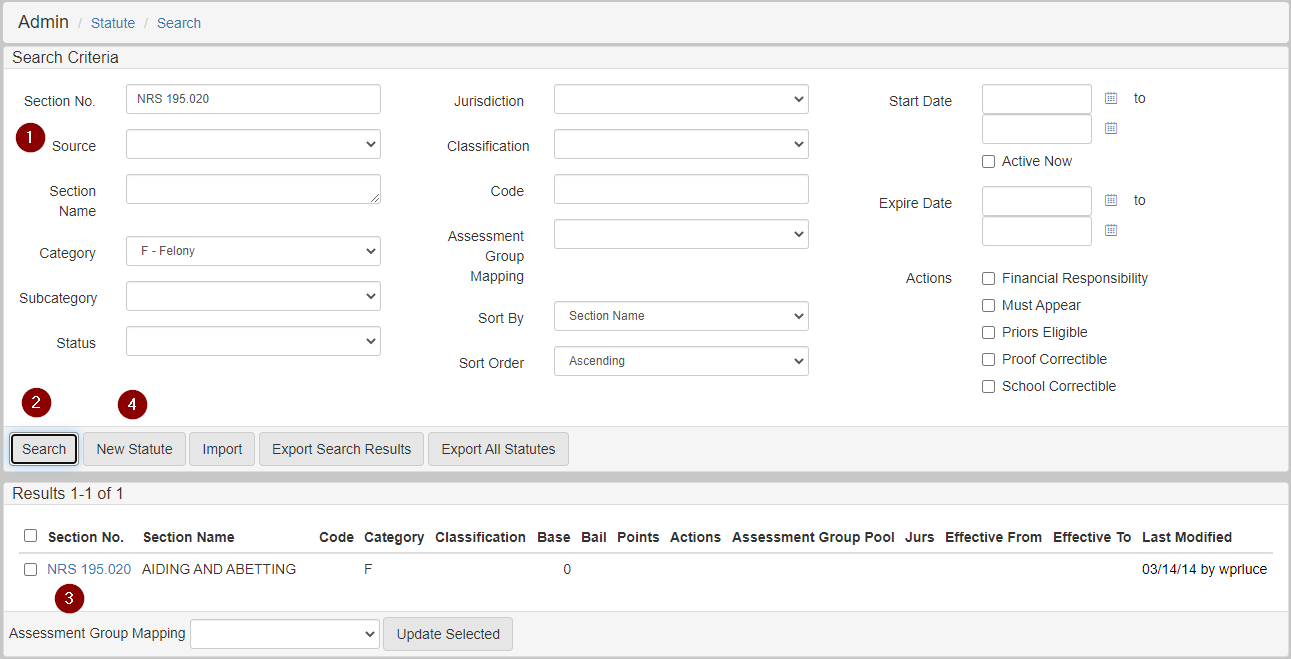
On the Statutes Search screen, you can search for, edit, and add new statutes:
-
Enter the search criteria for a statute you want to search for.
-
Click Search. Search results show in the bottom section.
-
Click a
Section No.link in the search results to edit the section. -
Click New Statute to create a new statute.
Add or edit a statute
Add a new statute by clicking New Statute in the Statute Search screen.
Edit a statute by clicking Statute No. link in the search results of the Statute Search screen.
The following options are available when adding or editing a statute:
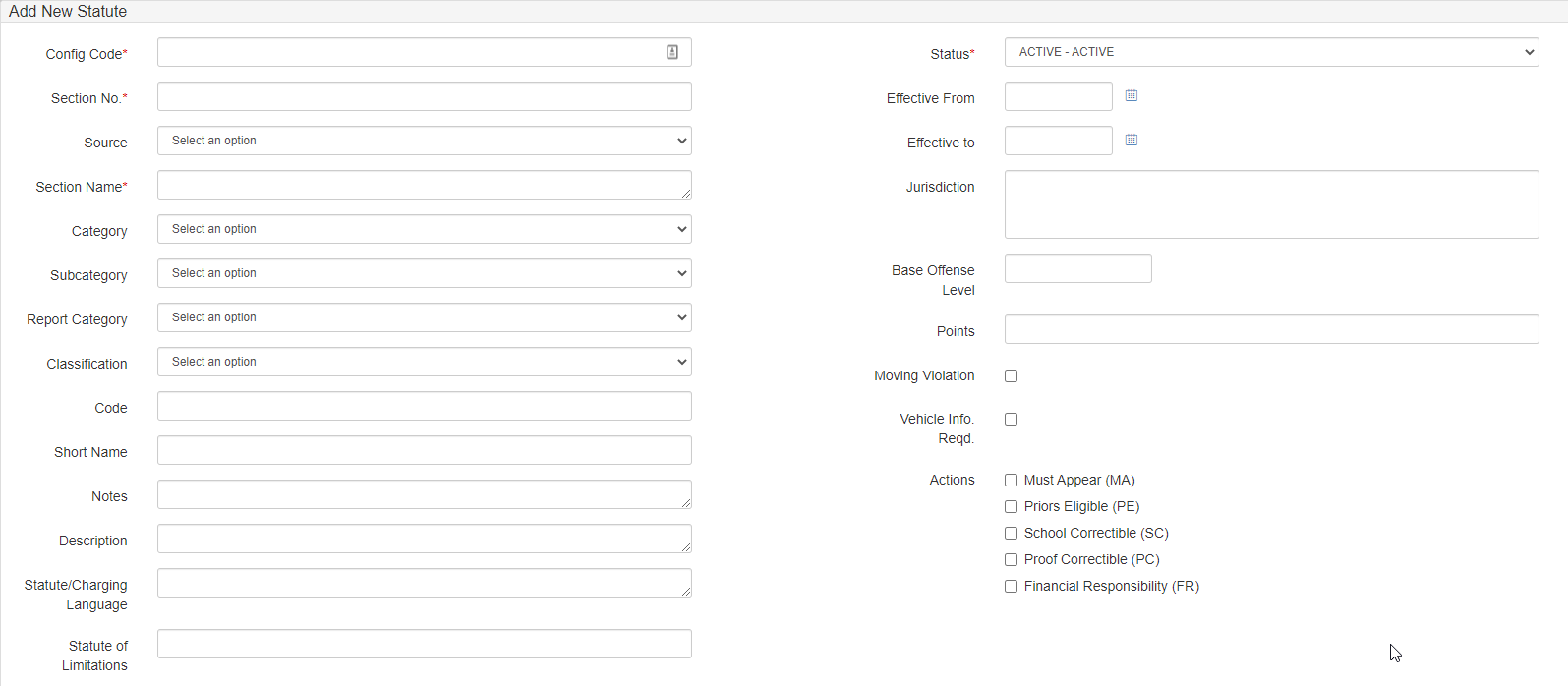
Among these options, Config Code, Section Number, and Status are required, while Config Code must also be unique.
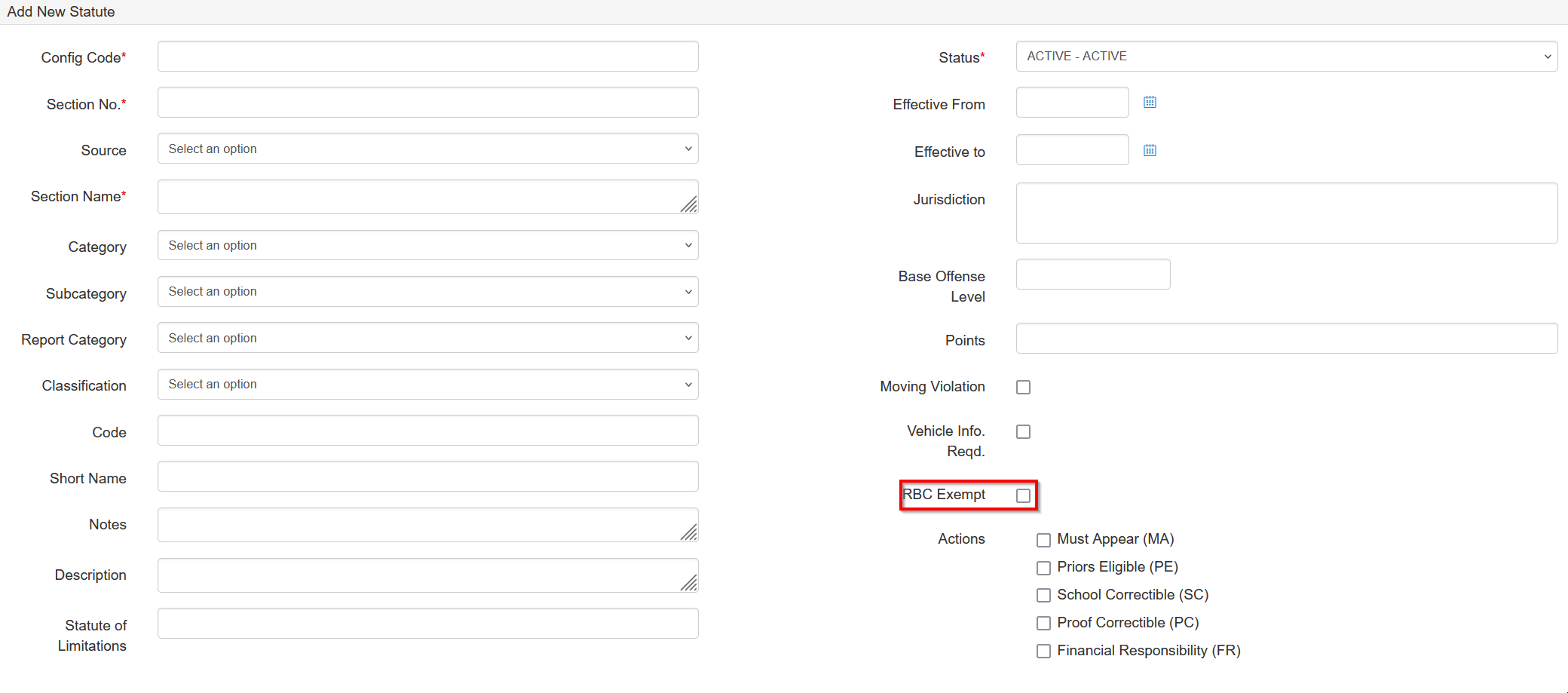
When Race-blind Charging is activated, select RBC Exempt to prevent the Race-blind Charging process from applying to cases charging this statute.
Lookup lists
Dropdown options for some fields are configured to show values from the following Lookup Lists:
| Statute field | Lookup List name |
|---|---|
|
|
|
|
|
|
|
|
|
|
Collection fields
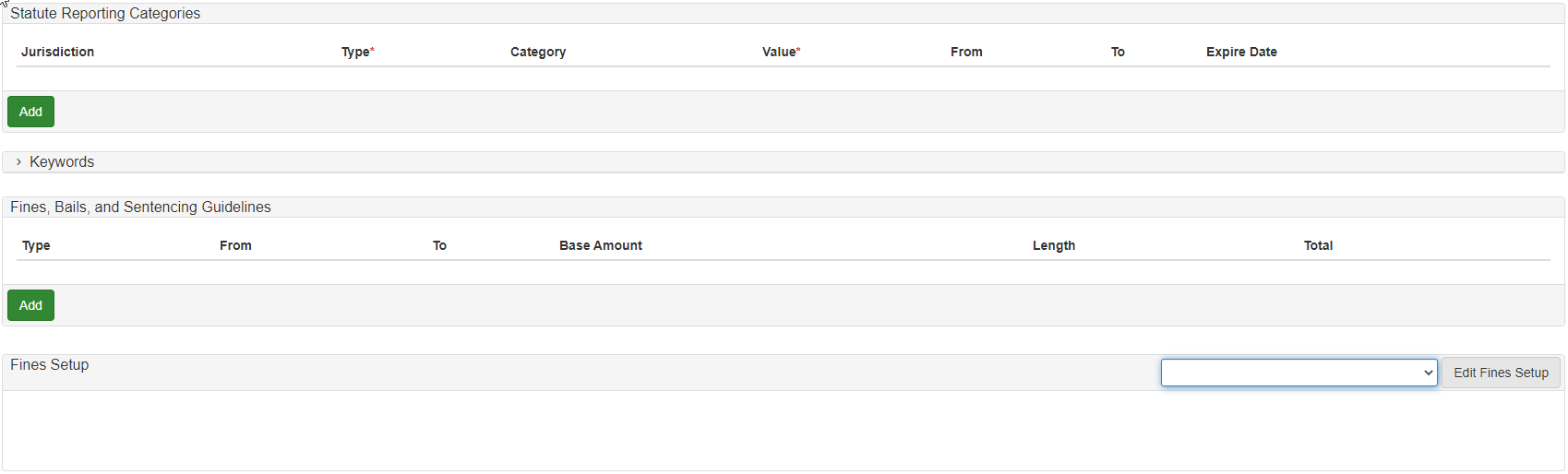
Collection fields available on a statute consist of the following entity types and are configured in the panels on the Add Statute screen:
-
Statute Reporting Categories.
-
Jurisdiction(Lookup List:JURISDICTIONS). -
Type(Required). -
Category(Lookup List:STATUTE_CATEGORY). -
Value(Required).
-
-
Keywords:

-
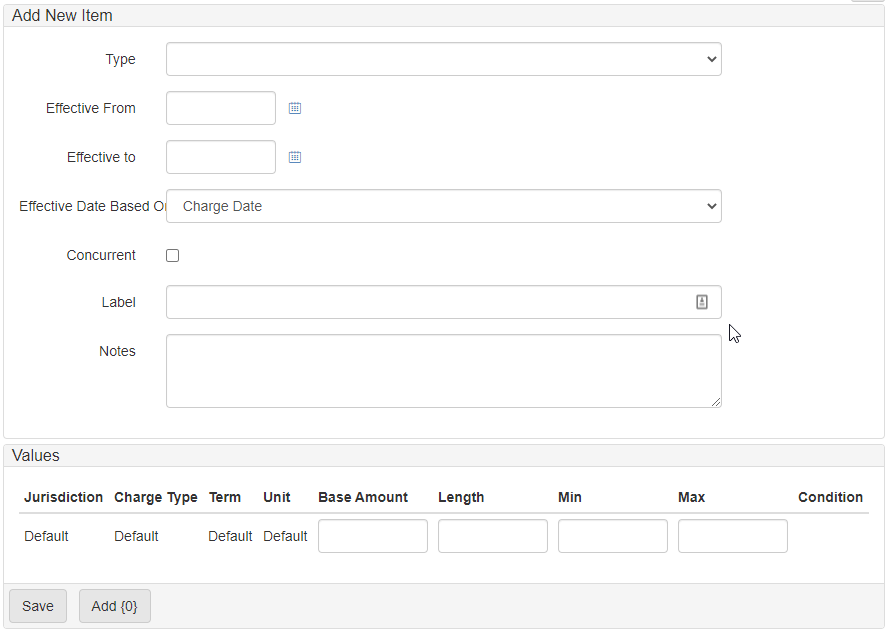
Fines, Bails, and Sentencing Guidelines:
Charging language
Charging language allows you to add static or template charging language to your statutes.
The charging language shows on the Charges screen and can be used in the charging process.
Add static charging language
-
Open the
Statutescreen. -
Click Charging Language to show the
Charge Languagescreen: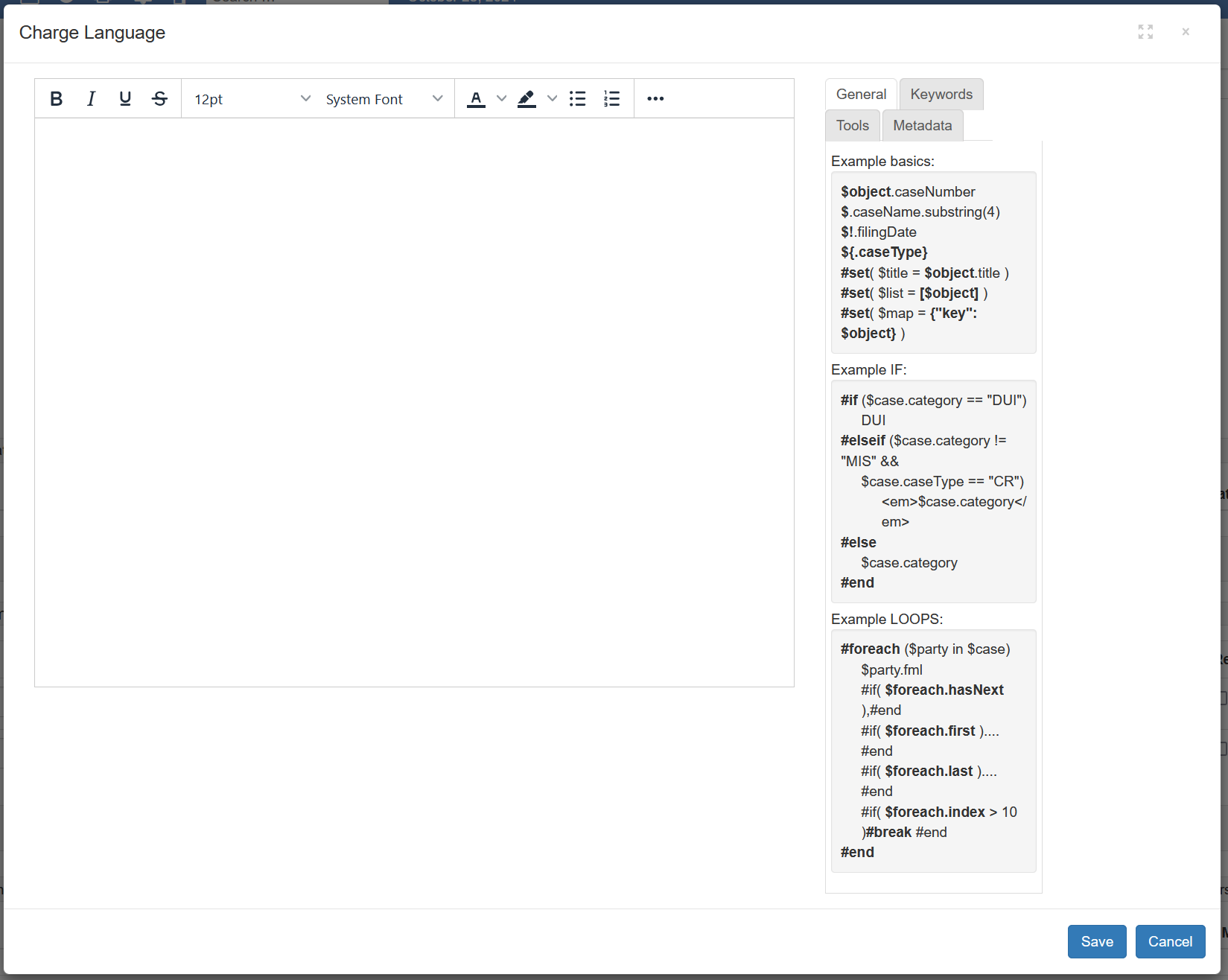
-
Add the language to be shown on the charge screen and used in the charging process.
-
Click Save.
Add template charging language
Template charging language allows you to add placeholders to the charging language that the system replaces during the charging process.
Placeholders consist of Keywords and Charge metadata.
Placeholders can be manipulated using Tools.
To create template charging language:
-
Open the
Statutescreen. -
Click Add Keyword.
-
Use the
Keywordspanel to create prompts for data from the user:
-
In the
Namefield, enter the keyword name. -
In the
Labelfield, enter the keyword label. -
In the
Typedropdown, select the keyword type. The options include:-
Date -
Date Time -
Time -
Decimal -
Integer -
Enum(select from a list of values) -
Lookup List -
Text Area -
Text -
Check Box
-
-
Select
Requiredif the keyword must be present.
-
-
Click Charging Language to show the
Charge Languagescreen. -
Add the basic language to show on the
Chargescreen and use in the charging process.On or about [DATE], at or near [LOCATION], in the [JURISDICTION], the defendant, [NAME], while under the influence of [SUBSTANCE], a controlled substance, did willfully and unlawfully commit an assault upon [VICTIM(S)] by means likely to produce [HARM], to wit: by striking them with a [WEAPON], a deadly weapon, in violation of Section 240 and 245(a)(1) of the State Penal Code.
To use keywords to replace placeholders in the charge language:
-
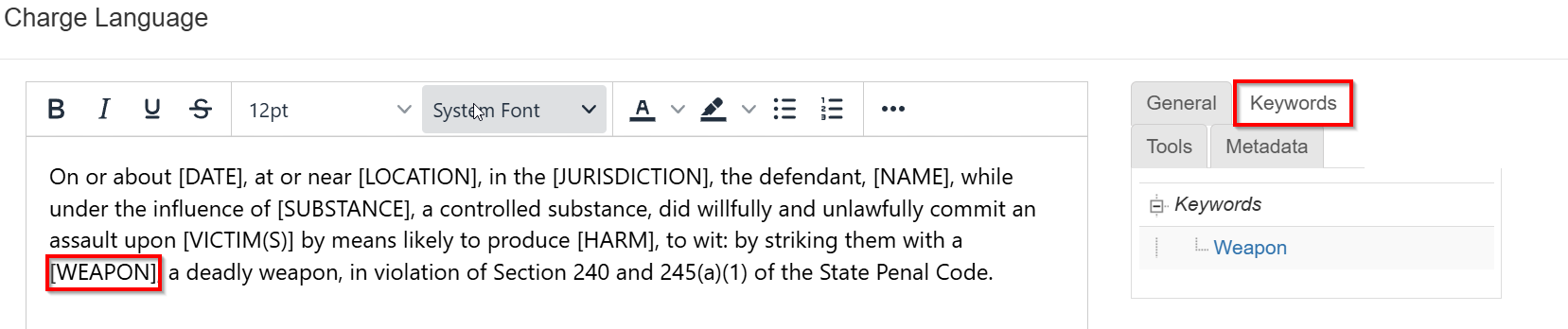
Click the
Keywordstab. -
Highlight the text to replace in the charge language:
-
Click the keyword to replace the highlighted text with the keyword.
On or about [DATE], at or near [LOCATION], in the [JURISDICTION],
the defendant, [NAME], while under the influence of <Substance>,
a controlled substance, did willfully and unlawfully commit an
assault upon [VICTIM(S)] by means likely to produce <Harm>, to
wit: by striking them with a <Weapon>, a deadly weapon, in
violation of Section 240 and 245(a)(1) of the State Penal Code.
To add charge metadata in place of count-specific charging language:
-
Click the
Metadatatab. -
Expand the Charge Metadata section
-
Highlight the text to replace in the charge language.
-
Click the metadata fields to replace highlighted text with metadata fields.
On or about $charge.chargeDate, at or near $charge.location, in the $charge.locationJurisdictionLabel, the defendant, $charge.defendantFml, while under the influence of <substance>, a controlled substance, did willfully and unlawfully commit an assault upon $charge.victims by means likely to produce <harm>, to wit: by striking them with a <weapon>, a deadly weapon, in violation of Section 240 and 245(a)(1) of the State Penal Code. -
Use tools and functions from the
Toolstab to further manipulate the charge language:On or about $dateTool.format('MMMM d, yyyy', $charge.chargeDate), at or near $charge.location, in the $charge.locationJurisdictionLabel, the defendant, $charge.defendantFml, while under the influence of <substance>, a controlled substance, did willfully and unlawfully commit an assault upon $charge.victims by means likely to produce <harm>, to wit: by striking them with a <weapon>, a deadly weapon, in violation of Section 240 and 245(a)(1) of the State Penal Code.
Formatting dates
One of the most important formatting tools is $dateTool.format('format', date). This tool allows dates to be formatted based on the requirements of the charging language. Formatting is done using these symbols:
Symbol |
Meaning |
M |
Month in year (8) |
MM |
Month in year (08) |
MMM |
Month in year (Aug) |
MMMM |
Month in year (August) |
d |
Day in month |
y |
Year |
h |
hour in am/pm (1~12) |
a |
am/pm marker |
H |
Hour in day (0~23) |
m |
Minute in hour |
s |
Second in minute |
z |
Time zone |
E |
Day in week (Tue) |
EEEE |
Day in week (Tuesday) |
F |
Day of week in month (2) |
w |
Week in year |
W |
Week in month |
' |
Escape for text |
'' |
Single quote |
Bulk add or edit a statute
You can add or edit Statutes in bulk with a Microsoft Excel file.
This feature helps you manage many Statutes for use cases like:
-
Configuring initial
Statutes. -
Applying legislative changes.
-
Standardizing
Statutecharging language.
Procedure
-
Download the statuteImportTemplate.xls file.
-
Open the downloaded spreadsheet.
-
Follow the steps on the
Instructionssheet, to enterStatueson theStatutes Templatesheet. -
Right-click the
Statutes Templatesheet and selectMove or Copy. -
Select
Create a Copy. -
In the
To book:field, enter(new book). -
Click OK.
-
In the new book, save the sheet as an
Excel 97-2003 Workbook (*.xls)file at the location of your choice. -
Open eProsecutor Online in your browser.
-
Navigate to .
-
Click Import All Statutes as XLS.
-
Click Choose File.
-
Select the saved book file.
-
Click Import to see a list of all
Statutesto import or update. -
Click Confirm to finish importing the
Statutes.