Archived search gadget
The Saved Searches gadget shows a list of saved searches with the option to quickly run or open them directly.
The search can also be expanded to show the search parameters.
Add the gadget
-
Open the dashboard.
-
At the top of the dashboard, find the
Dashboardtab, and click thegearicon to show theUser Settingsscreen:
-
Click the
+button next to the Archived Searches item: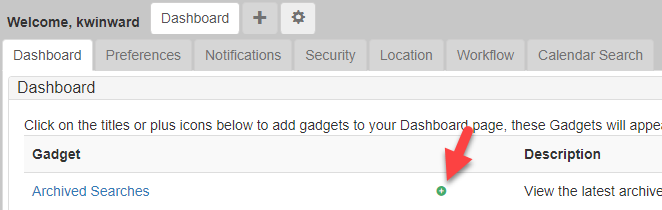
Create an archived search
-
Browse to a search in the system.
-
Fill out the parameters as required, then click Search.
-
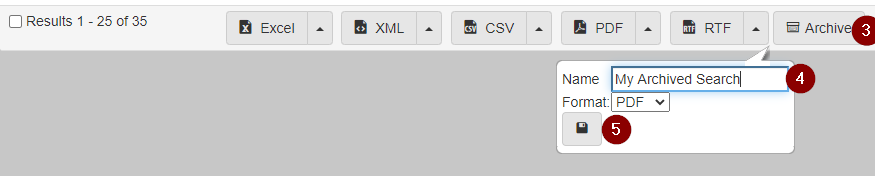
Scroll down to the bottom of the search results, then click Archive.
-
A dialog opens prompting you to give the
Archived Searcha name, and to set the save format. -
Click the
Saveicon to finish creating theArchived Search.