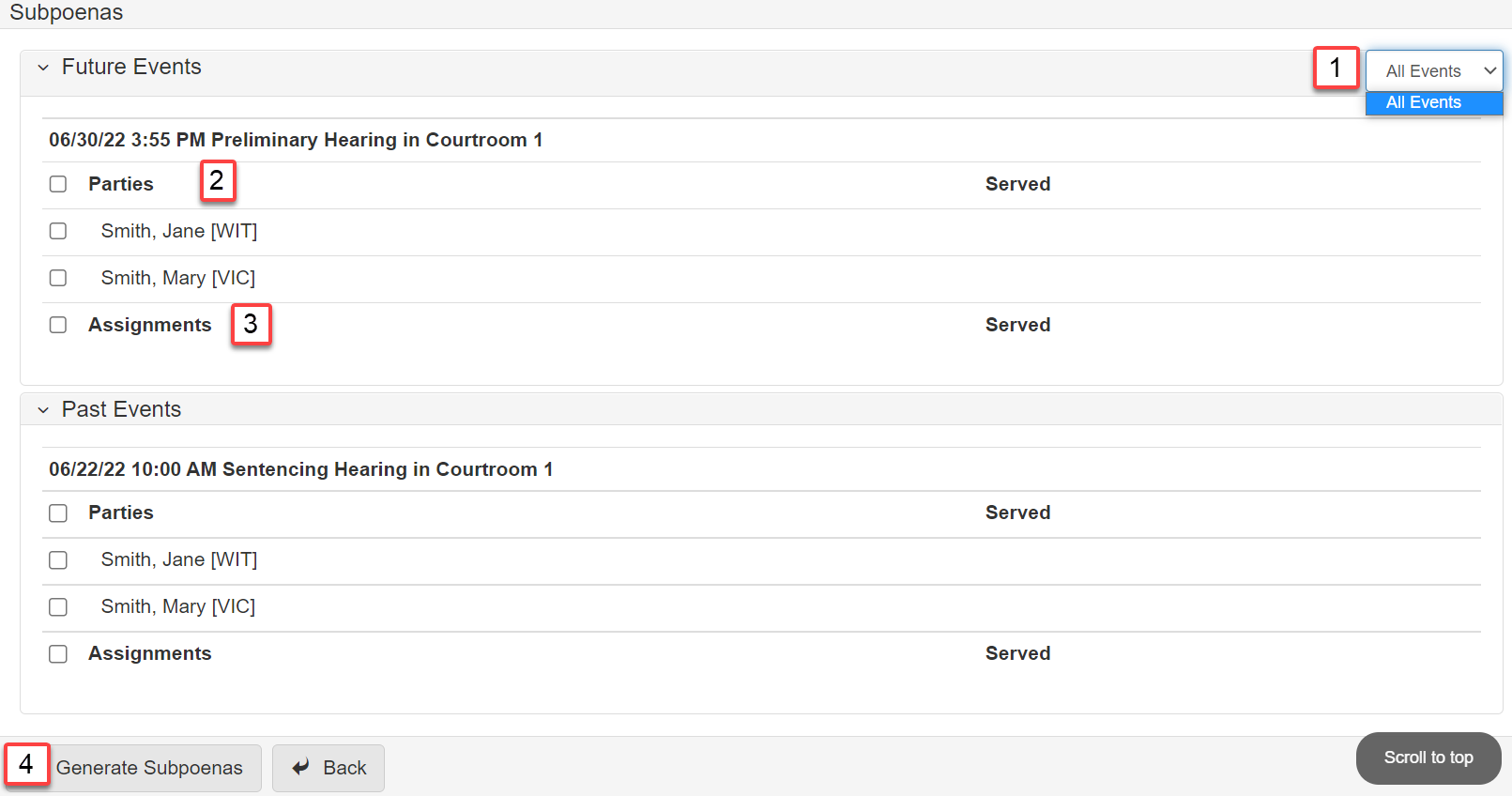
Subpoena process
Required conditions to generate a subpoena
-
Subpoenable Events - Events where witnesses are typically subpoenaed.
-
Subpoenable Parties - Parties that can be subpoenaed.
-
Subpoenable Case Assignments - Assignments that can be subpoenaed.
Update planning sheet
-
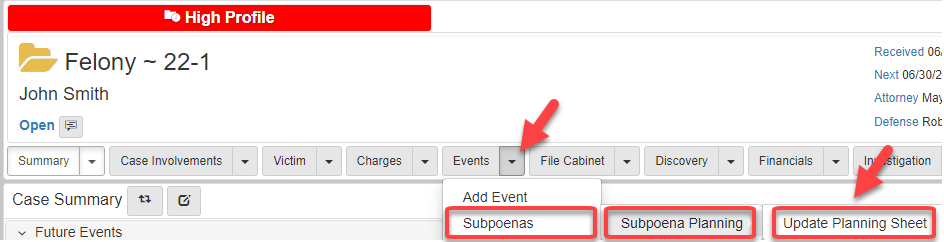
Start the subpoena process by clicking the Events dropdown arrow, hover over Subpoenas, hover over Subpoena Planning, and click Update Planning Sheet:
-
On the
Update Planning Sheetscreen, there are two ways to choose an event:-
Use the
Event Typesdropdown. This allows choosing one event.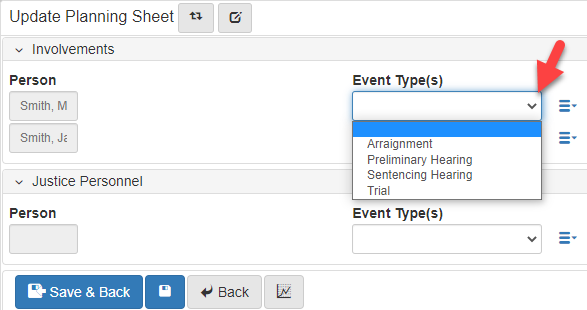
-
Use the lookup list next to
Event Types. This allows choosing one or many events.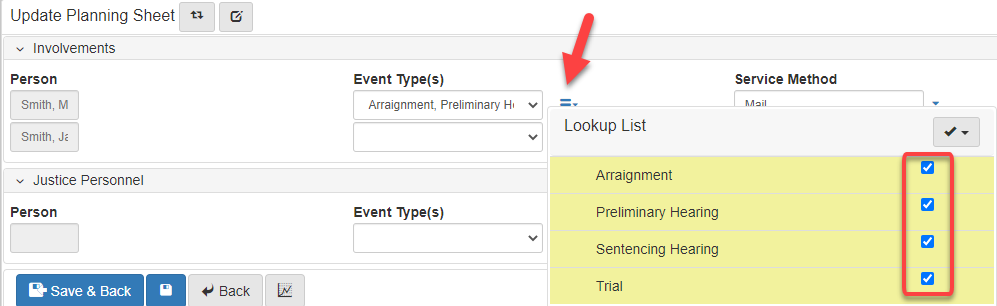
-
-
Select the
Service Method: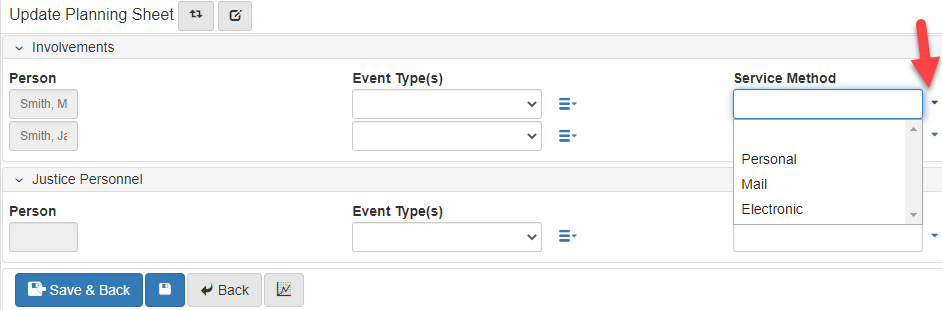
-
Select the
Subpoena Type: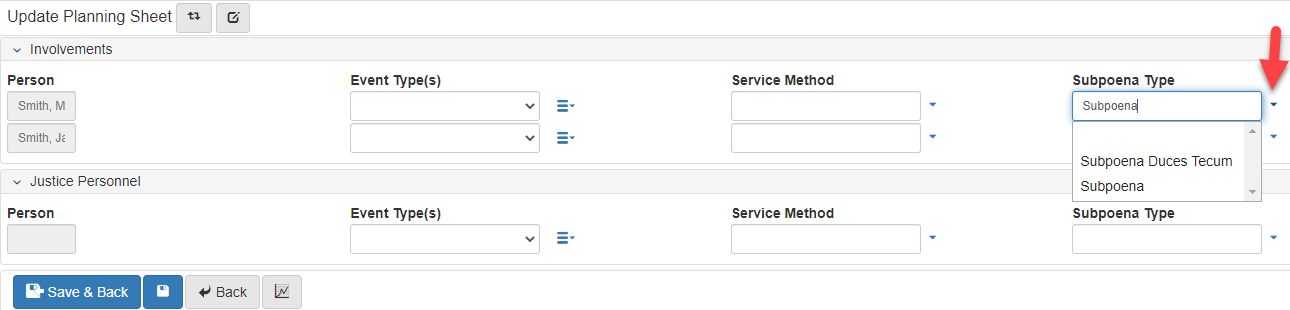
-
Enter a note.
-
When the planning sheet is finished, click Save and Back:
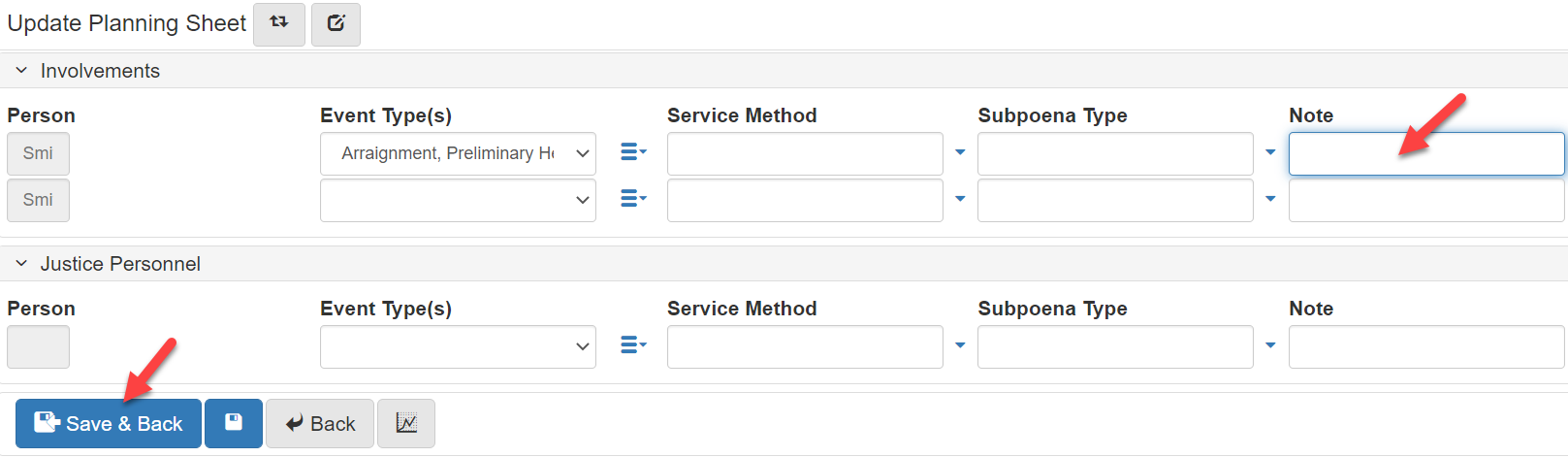
Subpoena planning
-
Generate a subpoena by clicking the
Eventsdropdown, hovering overSubpoenas, then selectingSubpoena Planning: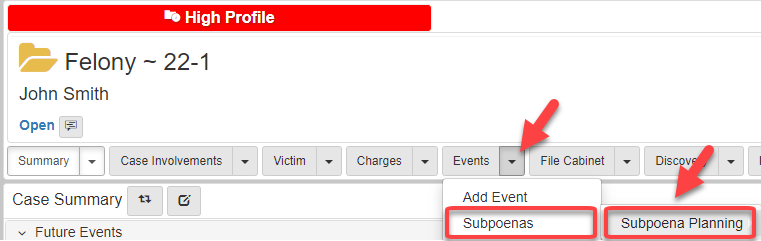
-
In the
View Planning Sheet Folder View, click Generate Subpoena: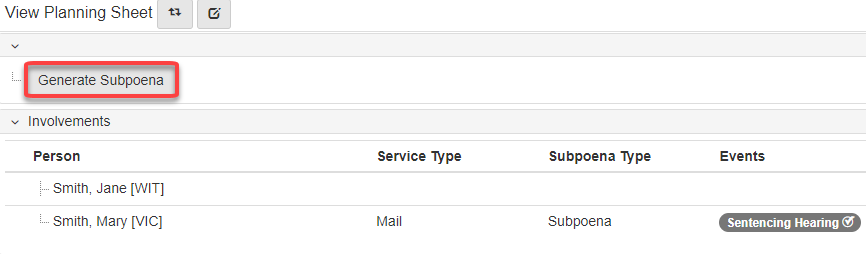
-
In the
Generate Subpoenapopup, click theEventdropdown: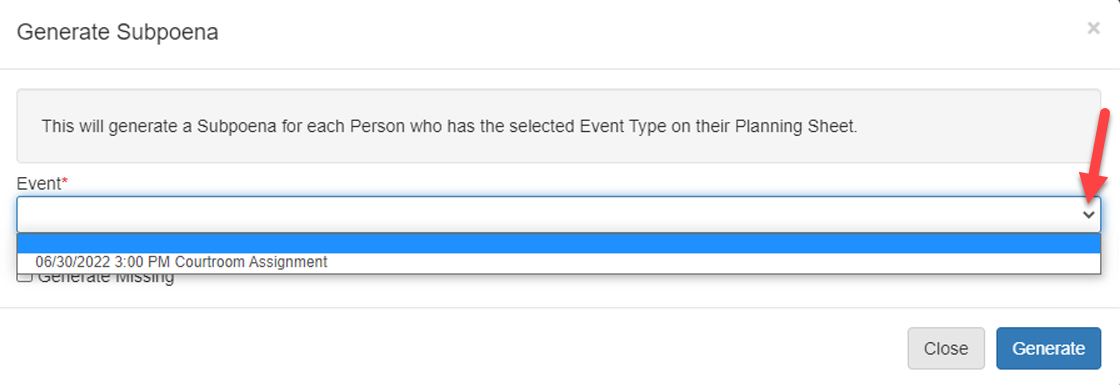
-
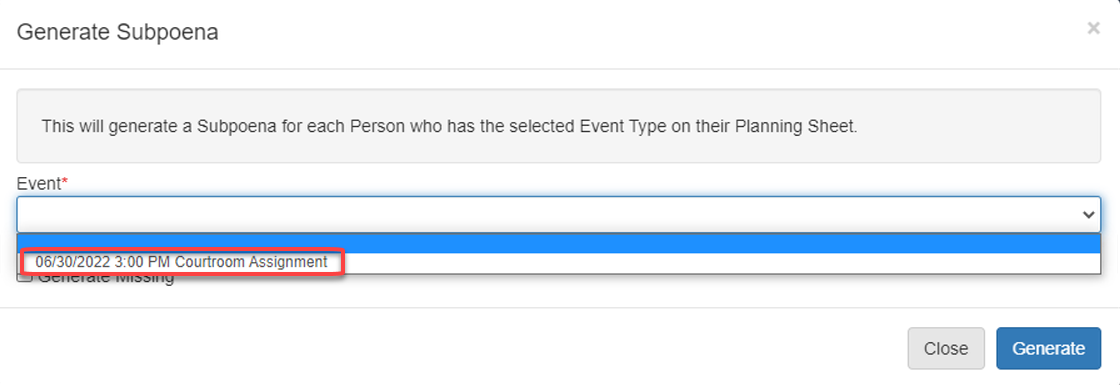
Select the event for the Subpoena:
-
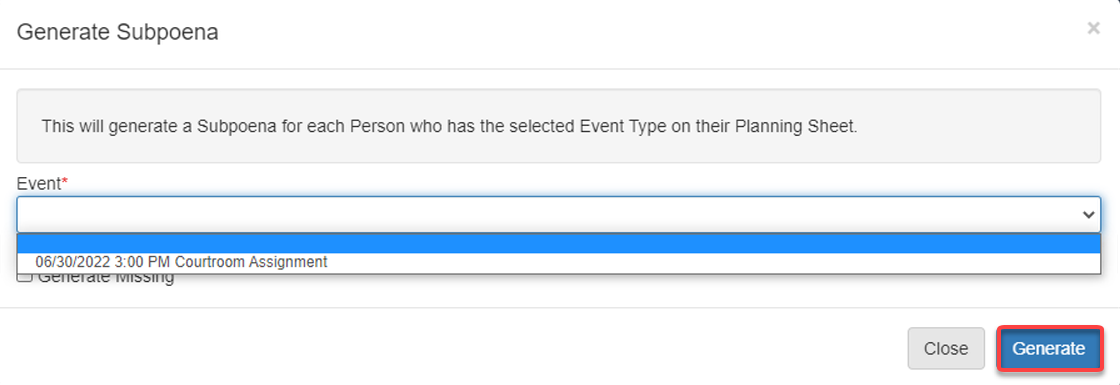
Click Generate:
Subpoenas future and past events
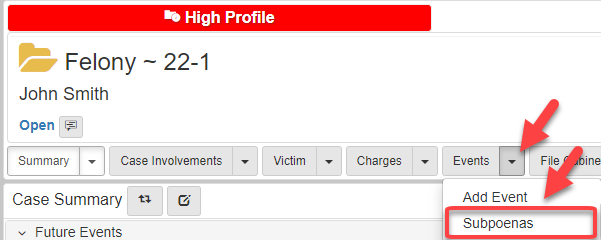
You can also generate a subpoena by clicking the Events dropdown arrow then clicking the Subpoenas button:
-
Select the events that need subpoenas generated.
-
Select the parties that need to be served.
-
Select the assignments that need to be served.
-
Click Generate Subpoenas: